Skip to project content

World Tour Project Showcase Hub Back to Hub

World Tour Project Showcase Hub

Project Description

World Tour is a travel-planning iOS app rebuilt from a legacy codebase into a modern SwiftUI experience with cleaner flows, richer destination content, and a new in-app Guide UI.

Why This Rebuild

The original project had outdated UI patterns, inconsistent structure, and limited interaction depth. The modernization goal is to preserve the app's core travel-planning idea while raising UX quality, accessibility, and architecture readiness for production-level growth.
Modernization Journey

Current in-app screens from the SwiftUI rebuild across key trip-planning flows.

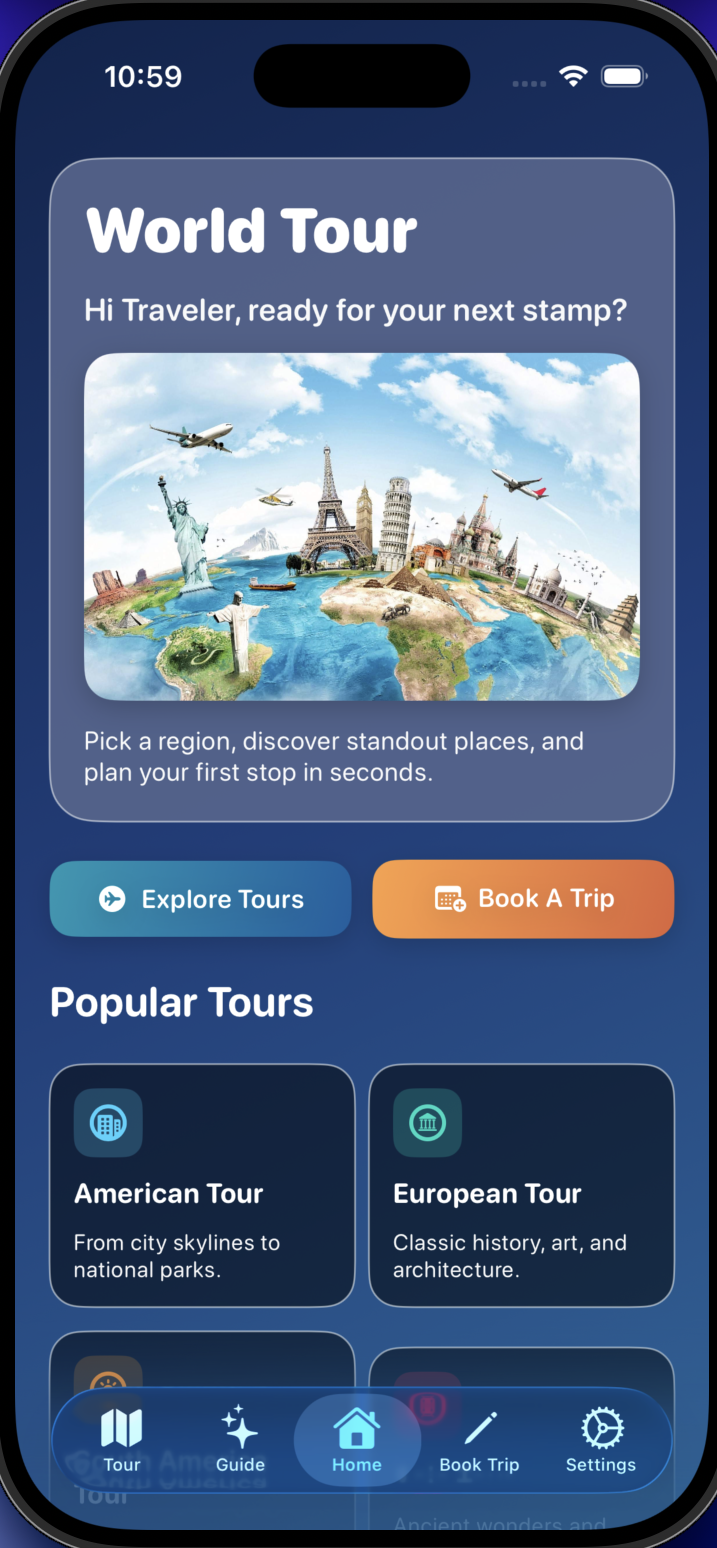
World Tour home screen with modernized layout

Home Refresh

Modernized entry point with cleaner information hierarchy and updated visual rhythm.

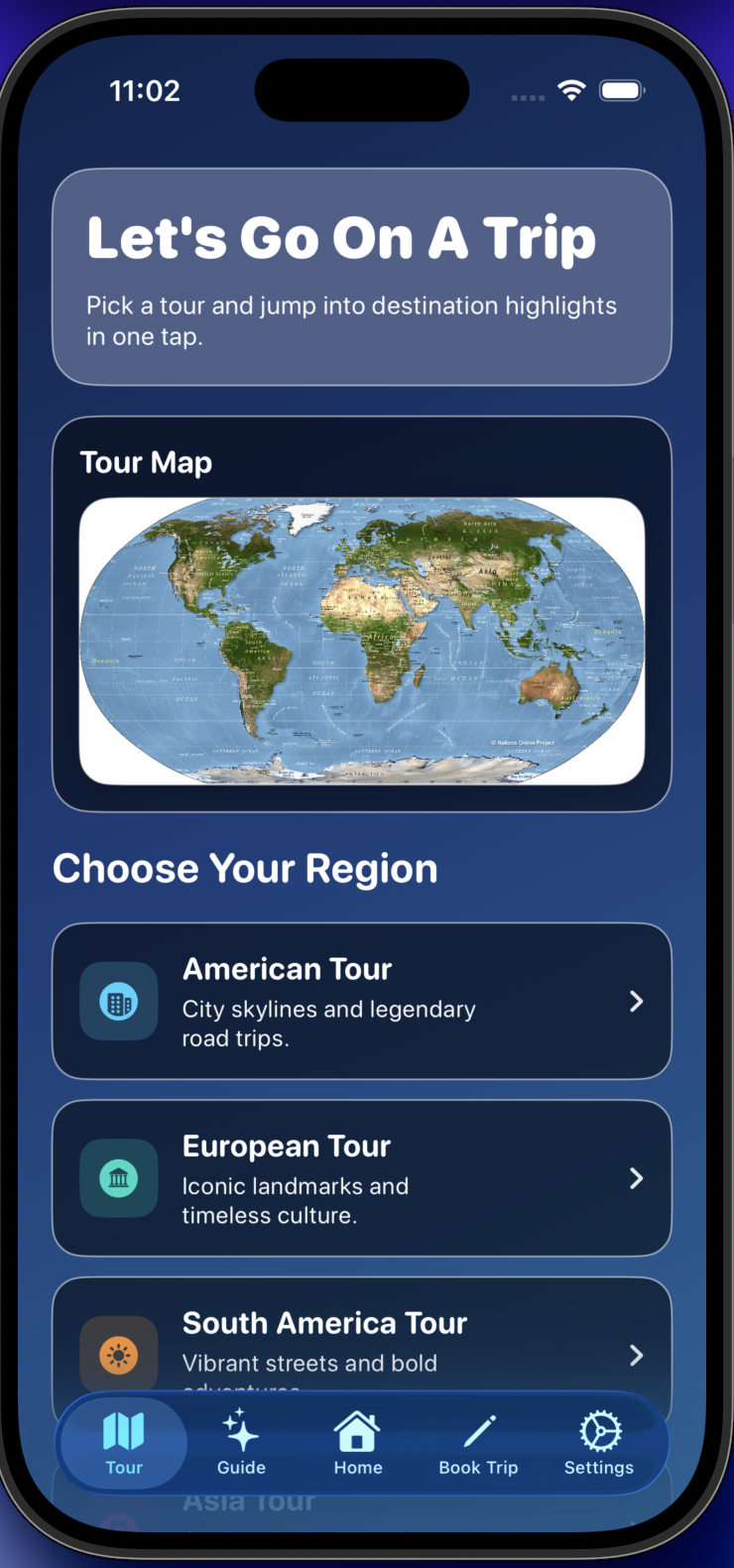
World Tour tours screen showing regional exploration content

Tours Experience

Region-focused tours with richer context and more useful destination detail.

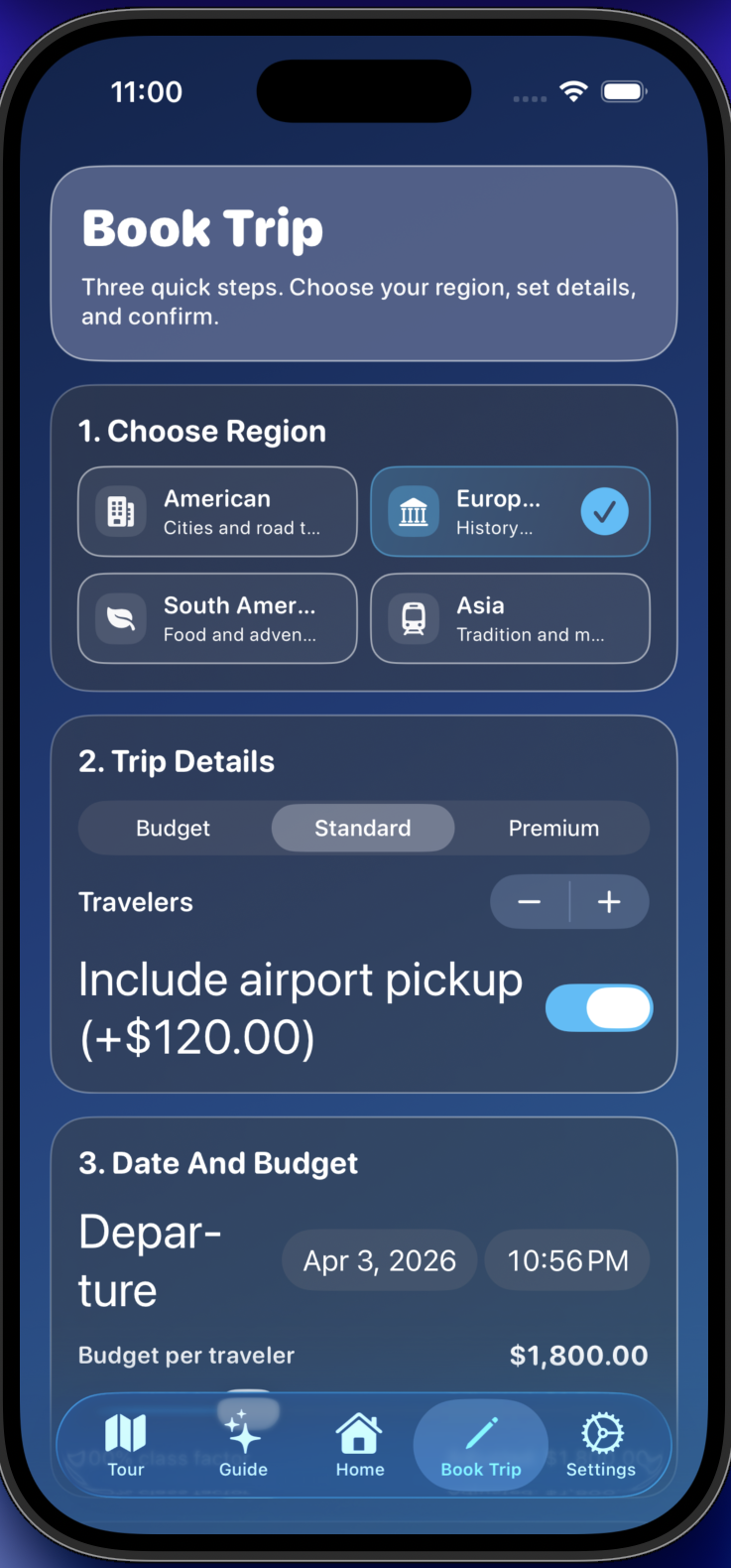
World Tour booking flow screen with updated interaction design

Book Trip Flow

Streamlined booking interactions designed to reduce friction and increase clarity.

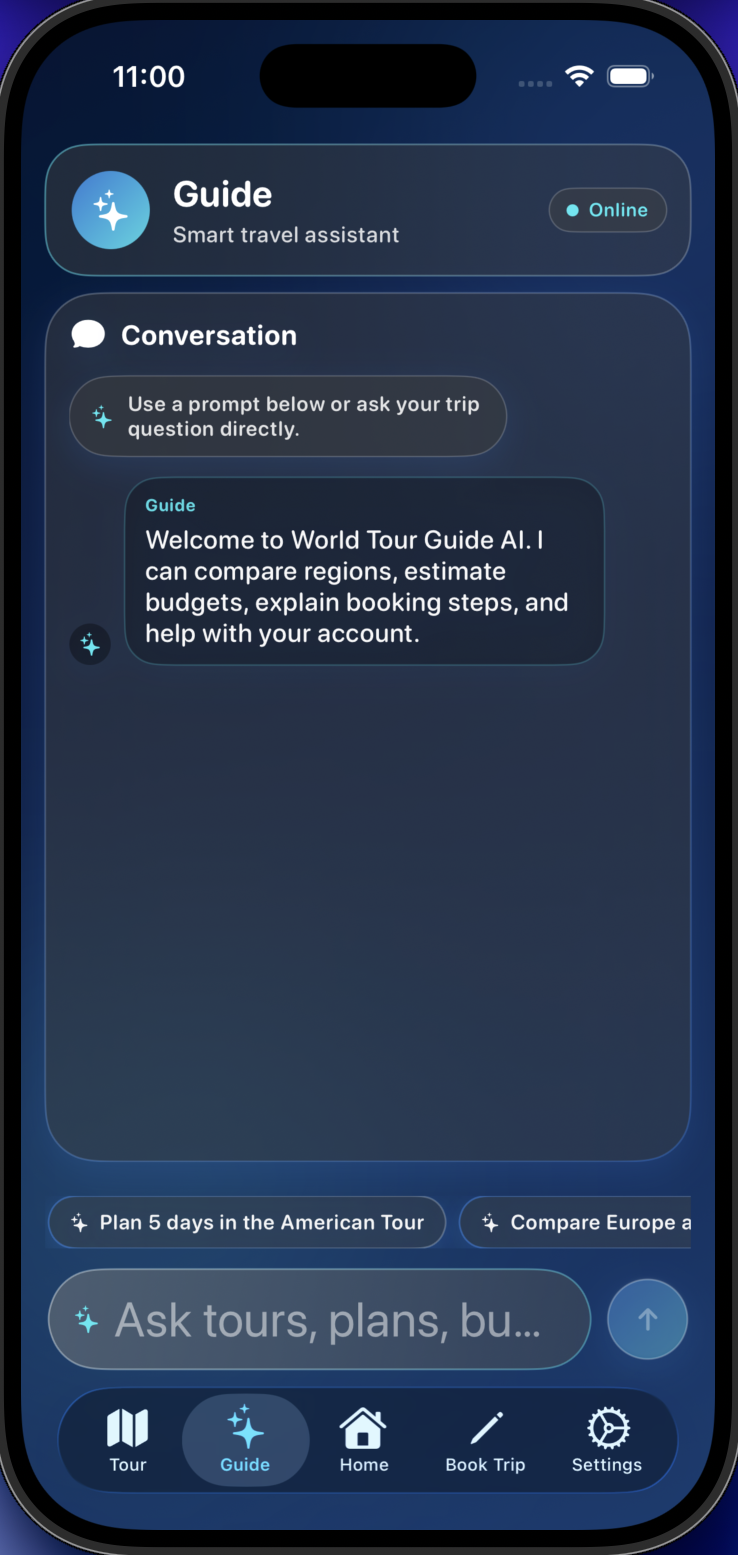
World Tour Guide tab with chatbot-inspired travel assistant interface

Guide Tab

Chatbot-inspired in-app assistant surface for travel support and next-step guidance.

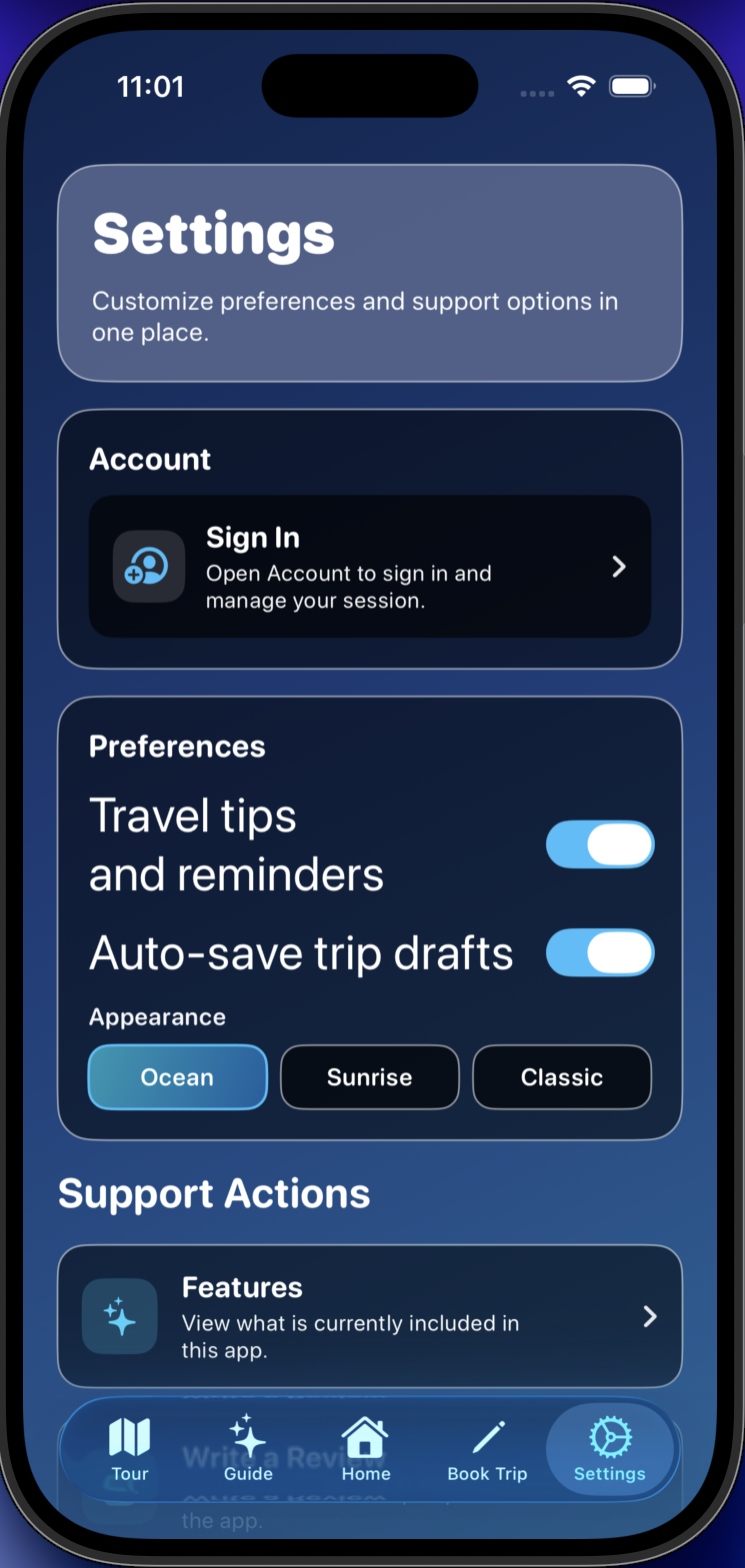
World Tour settings screen with account and sign-in controls

Settings + Account

Realistic account flow updates including sign-in/sign-out behavior and organization improvements.

Demo Walkthrough

Demo placeholder is ready. The player auto-enables when a World Tour demo file is added.

Demo Video Coming Soon

A walkthrough of the rebuilt Home, Tours, Book Trip, Settings, and Guide flows will be published here.

Technical Project Notes

Deeper product context plus implementation approach, collaboration model, and current in-progress priorities.

Modernization Highlights

  • Reworked Home, Tours, Book Trip, and Settings with a cleaner visual system.
  • Reorganized tab navigation for lower friction and clearer user flow.
  • Added richer destination content: location context, fun facts, and places to visit.
  • Integrated real destination photography to improve realism and engagement.

Accessibility + Quality Focus

  • Improved readability and contrast with accessibility-minded UI decisions.
  • Consolidated account behavior into a realistic sign-in/sign-out settings flow.
  • Cleaned asset and catalog issues while removing legacy project leftovers.
  • Improved app organization and documentation for scalable iteration.

Guide Assistant Direction

  • Introduced a new Guide tab with a chatbot-inspired in-app helper UI.
  • Structured Guide as a foundation for deeper travel-help functionality.
  • Optimized flow integration so Guide feels native to the trip-planning journey.
  • Current focus: evolve from mock assistant into richer, practical capability.

Architecture + UX Direction

  • SwiftUI-first modernization from a legacy iOS project baseline.
  • Refactored navigation and screen structure for cleaner flow logic.
  • Prioritized scalable organization for iterative feature expansion.

How I Used Codex

  • I led product direction, UX decisions, and final design judgment.
  • Codex supported implementation, refactors, and iteration speed.
  • Screenshot-driven feedback loops were used for rapid UI polish and edge-case fixes.

Current Status

  • Core modernization work is complete and stable for continued iteration.
  • Current focus: hardening account/auth behavior for reliability.
  • Guide tab roadmap: expand from mock assistant toward deeper functionality.

Next Iteration Focus

  • Continue UI/interaction polish toward release readiness.
  • Increase test coverage for critical app flows and account behavior.
  • Complete final content and functional pass for production-quality launch posture.